utlzpl.png?1780320337

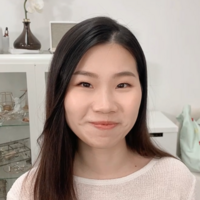
Emily☀️ 小一到小六 補底班打好語文基礎🏆|考試 UP UP UP🥇

幼兒園到小學|考試|讀寫聽說|大量練習🏆🥇
516 Sessions Completed

Introduction

Speaks
EnglishC1 Advanced
ChineseC1 Advanced
CantoneseNative
Emily 小一到小六 補底班打好語文基礎|考試 UP UP UP 老師教學目標 1. 細心教學 會了解到小朋友的需要,會留意到學生嘅情緒,覺得教太快或者太難,會立即調整教學步伐,令學生可以跟上進度 2. 圖像化教學,讓您的孩子學得快、記得牢!將複雜道理簡單化 3. 大量練習 幫助成績 upupup 4. 口語表達- 從0到流利 5. 量身訂做學習課程 1️⃣幼兒至小一:基礎語文啟蒙班 教學目標:培養對中文的興趣,從基礎詞語開始,建立讀寫能力,提升專注力。 教學內容: 1. 詞語認讀: ✅學習常用詞彙(如:水果、動物、顏色等)。 ✅ 配合圖片遊戲,加深記憶。 2. 拼音與正確發音: ✅ 教拼音基本規則,提升正確發音。 ✅結合童謠或兒歌,讓學生輕鬆掌握。 3. 簡單句式: ✅ 教授簡單句型(如:「我喜歡……」、「這是……」)。 ✅ 使用故事書和角色扮演引導學生造句。 4. 趣味互動: ✅舉辦詞語接龍、看圖說話等遊戲,激發語文學習興趣。 5. 親子練習(給家長): ✅提供親子互動學習卡片,讓家長和孩子一起練習,加強家庭參與感。 2️⃣小二至小三:詞語句式進階班 教學目標:提升詞語和句式應用能力,強化閱讀理解和寫作基礎。 教學內容: 1. 詞語積累與分類: ✅ 學習近義詞、反義詞、成語(簡單四字成語)。 ✅提供趣味詞語分類遊戲(如:水果類、動物類、動作類)。 2. 句式應用: ✅教授常用句型(如:「因為……所以……」、「雖然……但是……」)。 ✅透過例句練習,讓學生掌握句式運用方法。 3. 閱讀理解技巧: ✅教學生抓重點(如:段落大意、故事情節)。 ✅提供趣味短文練習,加入問答互動環節。 4. 簡單寫作練習: ✅ 從短句造句到段落寫作(如:寫自己的日常生活)。 ✅使用圖片引導孩子描述情景,提升寫作能力。 5. 小測驗與進度追蹤(給家長): ✅ 每月小測驗,讓家長了解孩子進度,提供學習報告。 3️⃣小四至小六:考試策略提升班 教學目標:針對考試需求強化詞語應用、閱讀理解和寫作能力,打好升學基礎。 教學內容: 1. 詞語精準運用: ✅ 深入學習成語、近義詞和反義詞的正確用法。 ✅ 強調詞語搭配,避免常見錯誤(如同音字混淆)。 2. 複雜句式教學: ✅ 教授複雜句型(如:「即使……也……」、「不僅……而且……」)。 ✅ 通過範例分析和練習,幫助學生靈活運用。 3. 閱讀理解技巧進階: ✅分析文章結構、提煉關鍵信息,提升答題準確率。 ✅ 模擬考試閱讀題目,訓練做題速度和邏輯思維。 4. 寫作訓練: ✅ 強化寫作結構(開頭、內容、結尾); ✅教授寫作小技巧(如:如何開門見山、增加細節描寫)。 ✅提供考試練習題,讓學生熟悉考試模式。 5. 模擬考試與錯題分析(給家長): ✅ 每月模擬考試,提供錯題分析報告。 ✅ 設計個人提升計劃,讓家長了解改進方向。 🐶 快來加入體驗課的行列! 🐶 ❓體驗課要做什麼 ➡️ 和我一起規劃學習旅程! ➡️ 進行詳實的程度分析 ➡️ 實際解決一個學習問題 ➡️ 吸收珍貴的學習之道,從此不再浪費時間! ❗️課堂規定❕ ↘️ 攜帶筆記本與筆,記下所有實用語句。 ↘️ 課堂開始前,確認設備與網路有無異常。 ↘️ 若需請假,請於 24 小時以前取消課程。若離課程開始已剩不到 24 小時,麻煩用 Line/AT 聊天室先知會我!
View full introduction
Learn more about this lesson
More available time slots
The more lessons you choose, the greater the discount is, check it down below or in the shopping cart!

Available times

View full schedule
Class videos can be downloaded
Videos from one-on-one courses can be downloaded within one year after the course ends, greatly enhancing your learning experience!
( This bonus only available for students who enable the class recording function)

27 course reviews

See all 27 reviews

Performance History

Resume

Experience

  • 2023 - 2024

    behaviour therapist

    children of god

Education

  • 2020 - 2022

    special education Certificate Uploaded

    the education university of hong kong

Experience
  • 2023 - 2024

    behaviour therapist

    children of god

Education
  • 2020 - 2022

    special education Certificate Uploaded

    the education university of hong kong

FAQ

How to book

  • After buying courses, you can book them according to the teacher’s schedule.
  • If “Instant Tutoring” shows on the teacher’s profile, you can book the lesson 30 minutes after the current time.
  • If the teacher is not online, the next available class cannot be booked until 24 hours afterward.

Lesson duration

  • The duration of a trial session is 25 minutes.
  • The duration of a private session is 50 minutes.
  • If you purchase more than 5 sessions, you will receive a discount (according to the price the teacher set).

Instructions

  • Enter the website 10 minutes before the class starts. Click “My Lessons” to find your class, click “Go to class”, and then you will be in the classroom on ZOOM!
  • You can use ZOOM for classes both on your phone and computer. Please download ZOOM in advance if you choose to use your phone for the class.

Refund policy

  • Please click “Report Issue” if you encountered any problems, and the teacher will determine either reschedule or refund afterward.
  • If the teacher doesn’t respond the issue, we will provide a full refund as AT credits for you.
How to book
  • After buying courses, you can book them according to the teacher’s schedule.
  • If “Instant Tutoring” shows on the teacher’s profile, you can book the lesson 30 minutes after the current time.
  • If the teacher is not online, the next available class cannot be booked until 24 hours afterward.
Lesson duration
  • The duration of a trial session is 25 minutes.
  • The duration of a private session is 50 minutes.
  • If you purchase more than 5 sessions, you will receive a discount (according to the price the teacher set).
Instructions
  • Enter the website 10 minutes before the class starts. Click “My Lessons” to find your class, click “Go to class”, and then you will be in the classroom on ZOOM!
  • You can use ZOOM for classes both on your phone and computer. Please download ZOOM in advance if you choose to use your phone for the class.
Refund policy
  • Please click “Report Issue” if you encountered any problems, and the teacher will determine either reschedule or refund afterward.
  • If the teacher doesn’t respond the issue, we will provide a full refund as AT credits for you.

Similar Tutors

AI Tutor Matching

Tell us your needs and we will match you with 3 ideal tutors in 30 seconds!
25 mins
50 mins
Contact tutor