kznkgk.png?1761242404

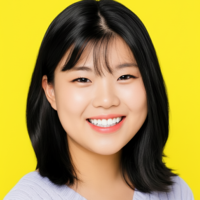
🔥Hobby Vlogger 🔥JubyRuby🎁Average Views: 2,000 Shorts Maker💜

YouTube🌟Vlog🌟Shorts
2Video editing Sessions Completed

Introduction

Speaks
EnglishC1 Advanced
KoreanNative
ChineseA1 Beginner
💙Hobby Vlogger with 160 subscribers ⚫Topics: Daily Life, Travel, Food, etc. 💙Serious about Shorts ⚫Average Views: 2,000, Editing on 2 Channels 💙Experience in Producing Various Sketch Videos ⚫Pastor's Farewell Video ⚫Short-Term Mission Sketch Video ⚫Promotional Videos for Church Events 💙Currently Studying for a Bachelor's Degree in Film & Media Studies in Hungary ⚫Course Content: Short Film Production, Character Practice, and Analysis 💙Experience Submitting to Competitions 💙Basic Editing Course💙 💥What is Editing? - Basic principles applicable to all programs 💥Simple editing practice using provided videos 💥How to use Adobe Premiere Pro 💥Free editing software collection 💎Intermediate editing course💎 💥Editing techniques based on video theme - YouTube/movies/entertainment 💥Color correction techniques to enhance video quality 💥How to insert music, sound effects, and narration 💥Adobe Premiere Pro shortcut settings ♥️Advanced Editing (YouTube) course♥️ 💥How to create your own editing style 💥Learn the editing styles of popular YouTube channels and YouTubers 💥How to download sound effects and background music for free without worrying about copyright! 💥How to edit YouTube videos for a long time ✨Short film and contest submission course✨ 💥How to prepare for contests: Understanding the pros and cons 💥How to win? Learn through practical preparation 💥How to plan a short film or music video 💜Shorts Lecture💜 💥Create a short video of at least 45 seconds and up to 90 seconds (depending on the platform) 💥Choose your topic, such as a challenge, meme/toon story, or humorous video 💥Everything from planning to directing and editing! 💥Easy editing with a phone app, no editing software required! 💜I've been making videos on my own for about 10 years, and I'll teach you everything about video, drawing on my know-how and experience.😘 I'll also share figures and statistics from my experience running a YouTube channel. I'm confident you'll have a more definitive direction for video editing and production! 👉 Class Rules ✔️Do not attach or send the distributed lecture materials for anything other than your personal use. ✔️Bringing reference videos you want to create will make the class easier. ✔️All video editing lectures only cover planning, directing, and editing. We cannot provide on-site assistance with filming. ✔️Please ensure a stable internet connection to ensure a smooth lecture experience! ✔️All editing lectures are conducted using Adobe Premiere Pro. Without this software, you may experience difficulties.
View full introduction
Learn more about this lesson
More available time slots
The more lessons you choose, the greater the discount is, check it down below or in the shopping cart!

Available times

View full schedule
Class videos can be downloaded
Videos from one-on-one courses can be downloaded within one year after the course ends, greatly enhancing your learning experience!
( This bonus only available for students who enable the class recording function)

1 Video editing course reviews

See all 1 reviews

Performance History

Resume

Experiences

  • 2025 - 2025 Seoul Women's University

Educations

  • 2021 till now Haesong Humanities Certificate Uploaded

Experiences
  • 2025 - 2025 Seoul Women's University
Educations
  • 2021 till now

    Haesong

    Humanities Certificate Uploaded

FAQ

How to book

  • After buying courses, you can book them according to the teacher’s schedule.
  • If “Instant Tutoring” shows on the teacher’s profile, you can book the lesson 30 minutes after the current time.
  • If the teacher is not online, the next available class cannot be booked until 24 hours afterward.

Lesson duration

  • The duration of a trial session is 25 minutes.
  • The duration of a private session is 50 minutes.
  • If you purchase more than 5 sessions, you will receive a discount (according to the price the teacher set).

Instructions

  • Enter the website 10 minutes before the class starts. Click “My Lessons” to find your class, click “Go to class”, and then you will be in the classroom on ZOOM!
  • You can use ZOOM for classes both on your phone and computer. Please download ZOOM in advance if you choose to use your phone for the class.

Refund policy

  • Please click “Report Issue” if you encountered any problems, and the teacher will determine either reschedule or refund afterward.
  • If the teacher doesn’t respond the issue, we will provide a full refund as AT credits for you.
How to book
  • After buying courses, you can book them according to the teacher’s schedule.
  • If “Instant Tutoring” shows on the teacher’s profile, you can book the lesson 30 minutes after the current time.
  • If the teacher is not online, the next available class cannot be booked until 24 hours afterward.
Lesson duration
  • The duration of a trial session is 25 minutes.
  • The duration of a private session is 50 minutes.
  • If you purchase more than 5 sessions, you will receive a discount (according to the price the teacher set).
Instructions
  • Enter the website 10 minutes before the class starts. Click “My Lessons” to find your class, click “Go to class”, and then you will be in the classroom on ZOOM!
  • You can use ZOOM for classes both on your phone and computer. Please download ZOOM in advance if you choose to use your phone for the class.
Refund policy
  • Please click “Report Issue” if you encountered any problems, and the teacher will determine either reschedule or refund afterward.
  • If the teacher doesn’t respond the issue, we will provide a full refund as AT credits for you.

Similar Tutors

AI Tutor Matching

Tell us your needs and we will match you with 3 ideal tutors in 30 seconds!
25 mins
50 mins
Contact tutor